8. Log files#
Log files help analyze a flight for documentation or for troubleshooting purposes.
8.1. Types of log files#
8.1.1. Project log files#
In releases from 2026 onward, NAVIGATOR uses the .TFX file format to store all flight line and image information.
Go to the chapter TFX project files for a detailed description of the ImageTakings and LineTakings log files.
In the project menu, import or export .TFX files for single missions or multi-mission projects.
8.1.2. Application log files#
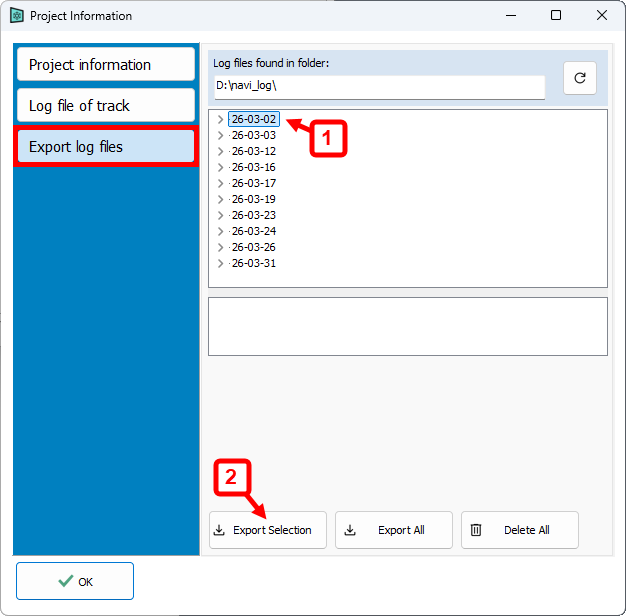
As soon as SensorHandler is started it creates two log files to store the position, speed and sensor behavior. In case of an issue, these file should be submitted to the support person. The files have the following naming:
Navi:
NAVI_YYMMDD-HHmm.logSensorHandler:
SH_YYMMDD-HHmm.log
Example:
The file SH_260312-1009.log was created on the 12th of March 2026 at 10:09 am. This was the time at which SensorHandler was started.
8.1.3. SOMAG giro mount log file#
All Gimbal data sent by the SOMAG mount is stored in a text file in the project folder. The file is named <ProjectName>-Gimbal-somag.txt and will only be populated if the SOMGA mount is controlled directly by SensorHandler.
8.2. Accessing the log files#
8.2.1. Project information#
ImageTakings.txt and ImageTakingsSequence.txt can be found.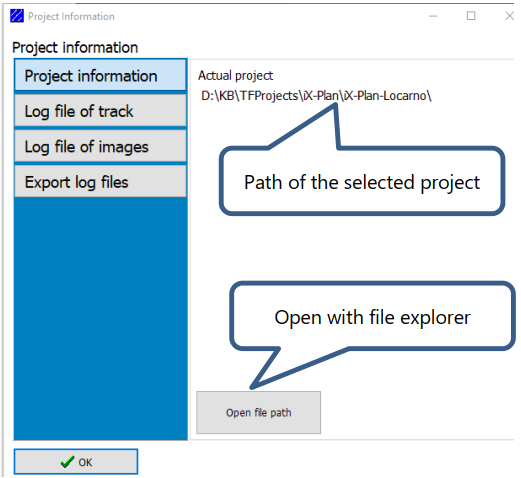
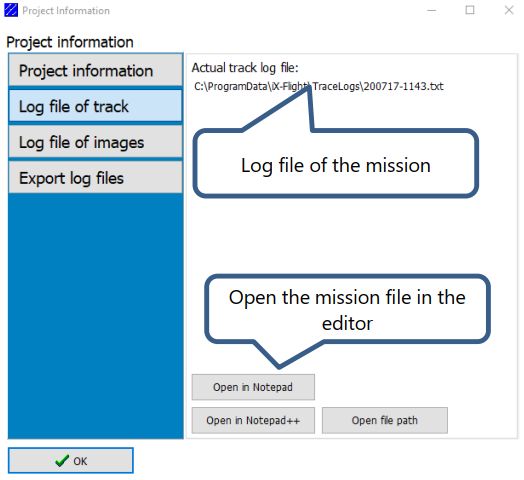
8.2.2. Log file of track#
8.2.3. Export log files#