Ctrl+K
Logo image

USER MANUALS

  • MISSIONPLANNER
    • 1. Getting started
    • 2. Interface elements
    • 3. Creating and configuring projects
    • 4. Configuring the sensors
    • 5. Defining flight lines
    • 6. Quality control
    • 7. Queries
    • 8. Mission management
    • 9. Settings
    • 10. Import options
    • 11. Export options
    • 12. Troubleshooting
  • NAVIGATOR
    • 1. Getting started
    • 2. Interface elements
    • 3. Icon description
    • 4. Flight lines and images
    • 5. Simulation mode
    • 6. Settings
    • 7. Checklist
    • 8. Log files
    • 9. System integration
    • 10. Troubleshooting

LICENSING

  • General guide
    • 1. License types
    • 2. Product specific licenses
    • 3. Installing a license
    • 4. Detaching a license
    • 5. Transferring a license
    • 6. Using Sentinel
    • 7. Troubleshooting

FILES AND PROTOCOLS

  • Project elements
    • 1. Folder contents
    • 2. TFX files
    • 3. File structure
  • TF universal protocol
    • 1. Socket usage
    • 2. TCP message structure
    • 3. States and switches
    • 4. Protocol usage

LINKS

  • TOPOFLIGHT
  • Video tutorials
  • .rst

TOPOFLIGHT’s documentation

Contents

  • MISSIONPLANNER
  • NAVIGATOR
  • Licensing

TOPOFLIGHT’s documentation#

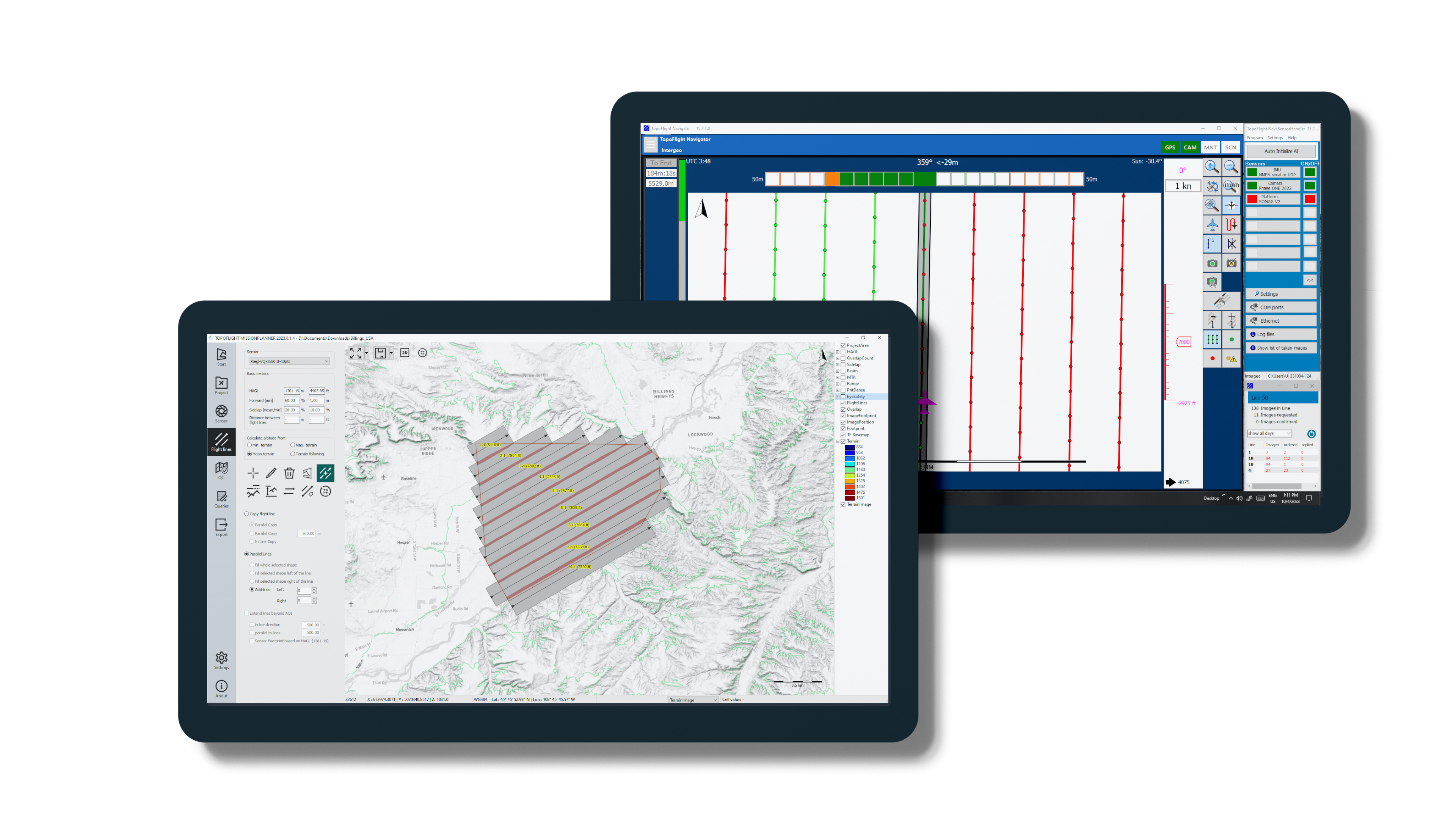
_images/screens.png

3D flight planning and navigation

TOPOFLIGHT offers a state-of-the-art software suite for efficient design of flight plans, navigation and in-flight sensor handling. Download TOPOFLIGHT’s MISSIONPLANNER and try it out for free with our 10 day trial license.

MISSIONPLANNER#

Flight Planning Software

User Manual

NAVIGATOR#

Flight Navigation Software

User Manual

Licensing#

General guide

Troubleshooting

next

MISSIONPLANNER
Flight planning software

Contents
  • MISSIONPLANNER
  • NAVIGATOR
  • Licensing

By TOPOFLIGHT AG

© Copyright 2025, TOPOFLIGHT AG.